
DaisyDisk Alternative: Same Great Visuals, Without the Price Tag
DaisyDisk is one of the most polished disk analyzers on macOS — but it costs money, and it only works on Mac. If you're looking for a DaisyDisk alternative that's free, open source and works on every platform, DiskRaptor gives you the same beautiful visualization with a modern Rust engine behind it.
Why people look for a DaisyDisk alternative
- Paid license — DaisyDisk costs around $9.99 after the trial
- macOS only — no Windows or Linux version
- No cleanup tools — it shows the problem but doesn't help you fix it
- Closed source — no transparency about what the app does
DiskRaptor vs. DaisyDisk
| Feature | DaisyDisk | DiskRaptor |
|---|---|---|
| Platforms | macOS only | Windows, macOS, Linux |
| Price | ~$9.99 | Free, open source (MIT) |
| Treemap visualization | ✓ (sunburst) | ✓ + pie, bar, 3D galaxy |
| Scan speed | Fast | Seconds (parallel Rust engine) |
| Duplicate finder | — | ✓ (content hash) |
| Trash recovery | — | ✓ |
| S.M.A.R.T. health | — | ✓ |
| Cleanup tools | — | ✓ downloads, browser, empty folders |
| 25 languages | — | ✓ |
| 100% local / no telemetry | ✓ | ✓ |
Why DiskRaptor is the better DaisyDisk alternative
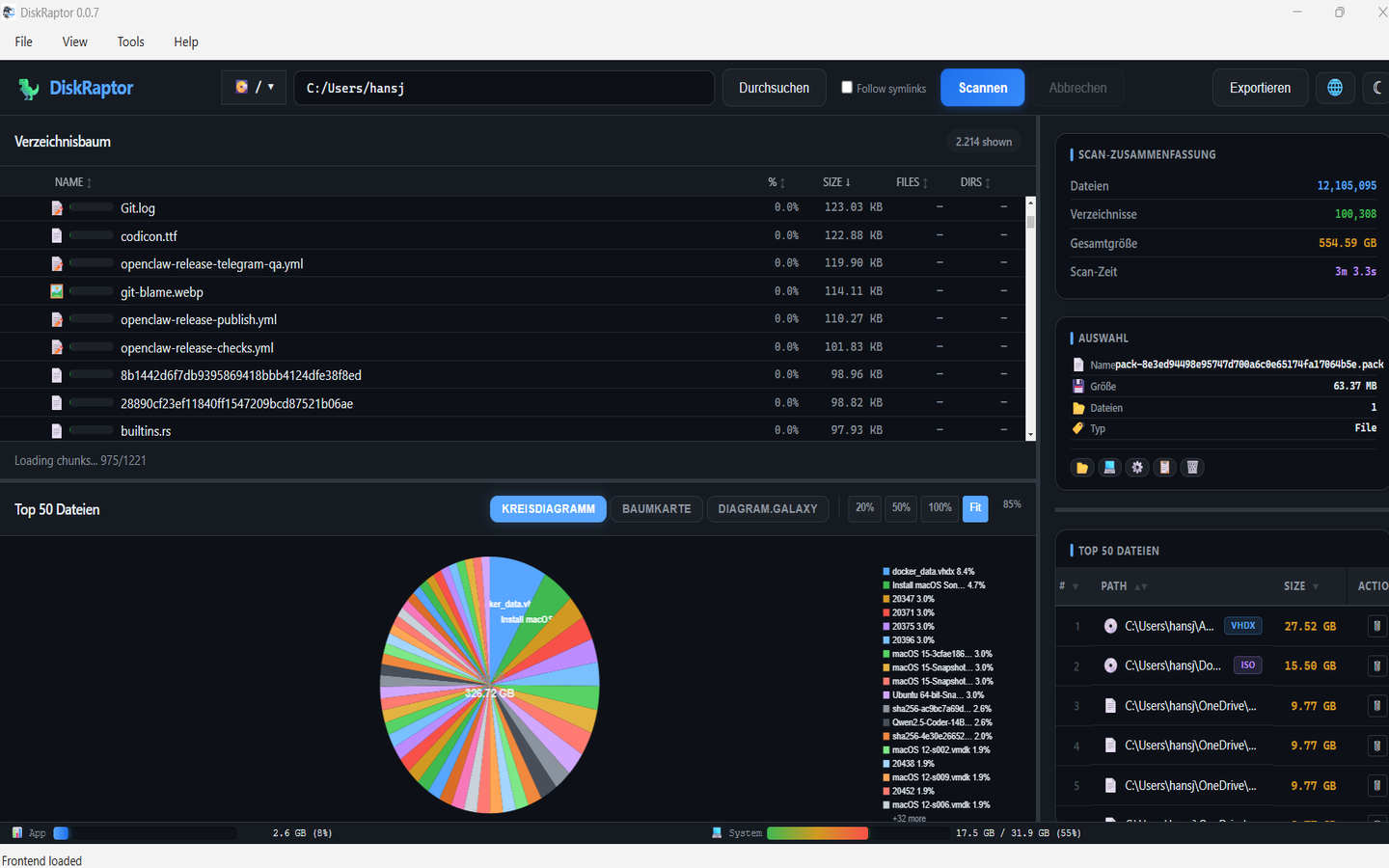
DiskRaptor keeps the best part of DaisyDisk — the clear, colorful visualization of what's filling your disk — and removes the two things users dislike: the price and the platform lock-in. It's free forever, runs natively on Windows, macOS and Linux, and goes beyond visualization with duplicate detection, trash recovery, cleanup tools and S.M.A.R.T. monitoring. All 100% local, all open source.
More alternatives
Frequently Asked Questions
Is DiskRaptor a good DaisyDisk alternative?
Yes. DiskRaptor offers the same clear, colorful visualization of what's filling your disk — treemaps, pie charts and a 3D galaxy view — for free, and adds duplicate detection, trash recovery, cleanup tools and S.M.A.R.T. monitoring.
Is DiskRaptor free?
Yes. DiskRaptor is free and open source under the MIT License, while DaisyDisk costs around $9.99 after the trial.
Does DiskRaptor work on Windows?
Yes. Unlike DaisyDisk, which is macOS-only, DiskRaptor runs natively on Windows, macOS and Linux.
Does DiskRaptor have the same visualizations as DaisyDisk?
Yes. DiskRaptor includes a treemap, pie chart, bar chart and a 3D galaxy view, so you can see exactly what's using your disk at a glance.
Related reading
- What Is a Disk Space Analyzer and Why Do You Need One
- How to Free Up Disk Space: 5 Practical Steps
- How to Monitor Hard Drive Health with S.M.A.R.T.
Try the free DaisyDisk alternative
Free, open source, cross-platform. Works on Windows, macOS and Linux.