
Thank You, Softpedia! DiskRaptor Scores 4.5/5
A big thank you to Softpedia and reviewer Alexandra Sava for the thorough review of DiskRaptor 1.0.25! Being listed on one of the largest software archives on the internet — with a 4.5/5 rating — means a lot to us as an open-source project. Here's what the review highlighted.
Clean UI, clear visuals
The review praised the interface as "fairly clean and organized": a folder and file list on top, a colorful treemap at the bottom, and side panels for scan information, file statistics and the largest files. Several visualization types are available — pie charts, treemaps, bar charts and the 3D view — plus colored size bars, file-type icons and sortable file-age information.
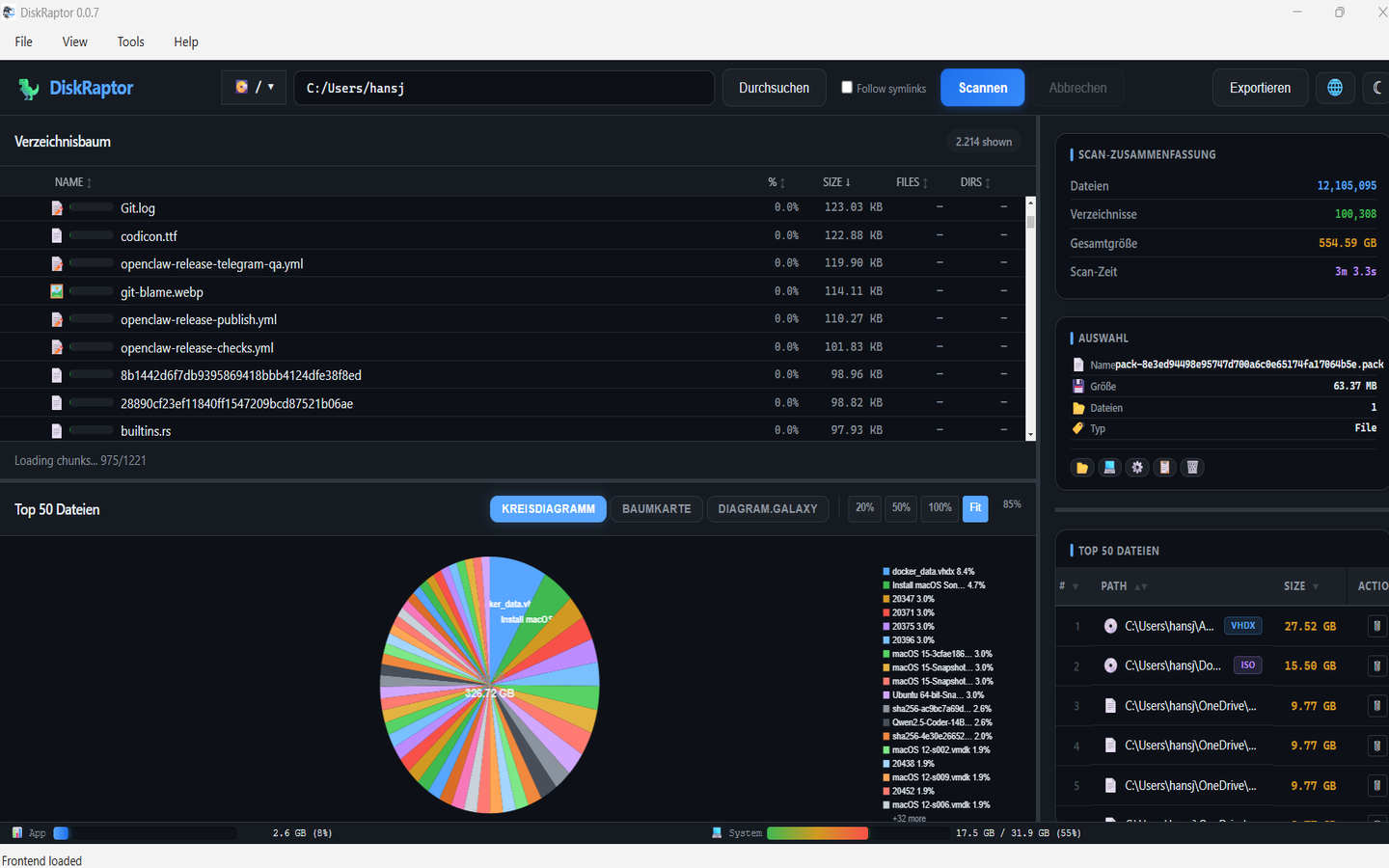
Snapshots: compare scans over time
One feature the review called out was the ability to take a snapshot of your disk usage and compare it with a later scan. If your drive had 70 GB free last month and only 100 GB now, DiskRaptor shows you exactly which folders and files grew — and are responsible for the missing space.
More than a disk analyzer
The review also appreciated the extra tools: duplicate-file detection, empty-folder scanning, finding large files by type, restoring deleted files, searching scan results, and exporting reports. That's exactly the direction we want DiskRaptor to go — not just showing you the problem, but helping you fix it.
Now at 100% in all 25 languages
Softpedia's changelog highlights our latest release: DiskRaptor 1.0.25 is fully translated — every UI string in all 25 languages, with automatic OS-language detection on first launch. No more mixed-language text, no matter where you are in the world.
Thank you, Softpedia — and thanks to everyone who discovered DiskRaptor through the listing. 💙
Try DiskRaptor 1.0.25
Free, open source, cross-platform — fully translated into 25 languages.